

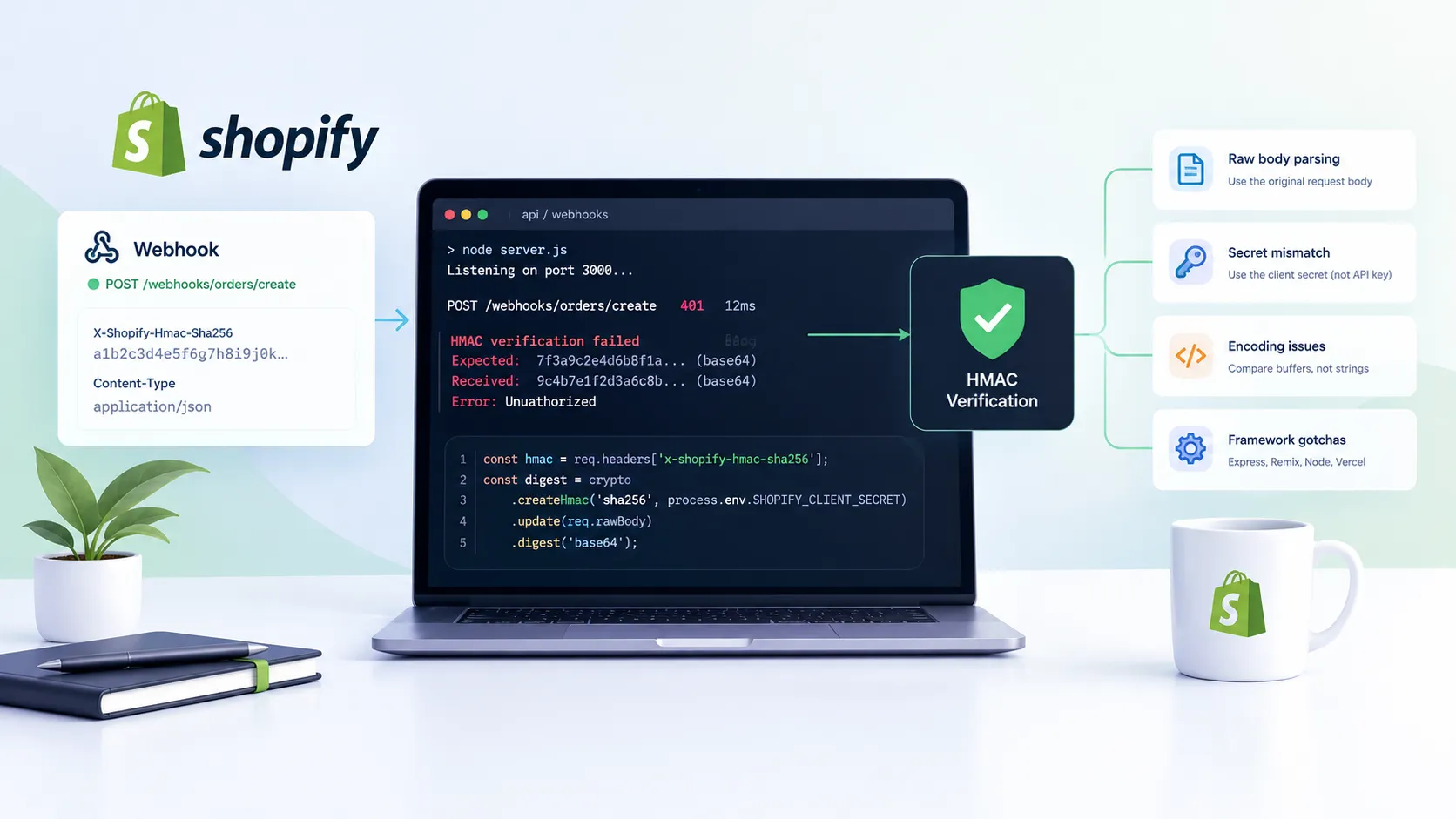
You register a Shopify webhook, fire a test order, and your handler throws a 401. TheX-Shopify-Hmac-Sha256 header is present, the secret looks right, and the digest still doesn’t match. I’ve debugged this exact failure across a dozen custom app builds—and the root cause is almost never the crypto. It’s almost always how you’re feeding data into it.
Here’s every cause I’ve actually hit, in the order they’re most likely to bite you.
1. What Shopify actually signs
Shopify’s signing logic is simple: it runs HMAC-SHA256 over the raw request body bytes, using your app’s client secret as the key, then base64-encodes the result. That value lands in the X-Shopify-Hmac-Sha256 header on every HTTPS delivery.
The verification on your end has to reproduce that exact computation. If anything touches the body between Shopify’s signature and your crypto call—JSON parsing, whitespace normalization, body decompression, a middleware that re-serializes the payload—the bytes change and the digest won’t match. Full stop.
2. The raw body problem
This is the cause behind probably 70% of the HMAC failures I’ve seen. Frameworks and middleware love to parse the request body before you get to it. Once it’s been parsed into a JavaScript object and re-serialized, the original byte sequence is gone.
The fix is always the same: capture the raw body buffer before any middleware transforms it, and sign that buffer—not a string you’ve reconstructed from a parsed object.
Here’s the minimal pattern in plain Node/Express:
      import express from 'express';
      import crypto from 'crypto';

      const app = express();

      app.post(
        '/webhooks/orders-create',
        express.raw({
          type: 'application/json',
          verify: (req, _res, buf) => {
            req.rawBody = buf; // capture before any parsing
          },
        }),
        (req, res) => {
          const hmac = req.headers['x-shopify-hmac-sha256'];
          const digest = crypto
            .createHmac('sha256', process.env.SHOPIFY_CLIENT_SECRET)
            .update(req.rawBody)
            .digest('base64');

          const trusted = Buffer.from(digest, 'base64');
          const received = Buffer.from(hmac, 'base64');

          if (!crypto.timingSafeEqual(trusted, received)) {
            return res.status(401).send('Unauthorized');
          }

          // safe to parse now
          const payload = JSON.parse(req.rawBody.toString('utf8'));
          res.sendStatus(200);
        }
      );
The key detail is verify in the express.raw() call—it runs synchronously before the body is accessible to your route handler, giving you a clean capture point. Store the buffer somewhere your verification function can reach it; I typically put it on req.rawBody.
3. Secret confusion: client secret vs API key
Shopify’s Partner Dashboard shows you several credential strings: an API key, an API secret key (a.k.a. client secret), and—in some flows—access tokens per store. Only one of these is used to verify webhooks: the client secret (also labeled “API secret key”). Not the access token. Not the API key.
I’ve seen this mistake in agency-built apps where the original dev stored the access token in an env var named SHOPIFY_SECRET and a later dev tried to use it for HMAC verification. The names are confusing enough that it happens more than you’d think.
Quick checklist for the secret:
- It’s in Partners → Apps → Your App → App setup under “API secret key”
- It’s the same across all installs of your app—it’s not per-store
- If you’ve rotated it, any webhooks registered before the rotation will still use the old secret until they’re re-registered
4. Encoding mistakes that quietly corrupt the digest
Even when you’re working with the right bytes and the right secret, a couple of encoding pitfalls can still produce a mismatch:
- Comparing strings instead of buffers. Use Node’s
crypto.timingSafeEqual()on twoBufferinstances, not a plain===on base64 strings. The timing-safe comparison also closes a timing oracle, which matters for production apps. - Re-encoding the header value. The header arrives as a base64 string. Decode it to a Buffer with
Buffer.from(header, 'base64')before comparing —don’t re-encode your computed digest to base64 and compare strings. Either way is technically equivalent, but mixing approaches is where off-by-one encoding errors creep in. - Trimming or lowercasing the header. Some HTTP proxies normalize header values. If something upstream is trimming trailing
=padding from the base64 string, your comparison will fail even with correct inputs.
5. Framework-specific gotchas
Express
If you’ve got express.json() mounted globally in your middleware stack, it will parse the body before your webhook route sees it. The pattern that actually works: mount express.raw() with the verify callback on the webhook route specifically, and make sure it runs before the global JSON middleware. Route-specific middleware, not global.
Remix / React Router (v7+)
Remix gives you access to the raw Request object via the Web Fetch API. The correct approach is await request.arrayBuffer() (or request.text())before calling request.json(). Once you call .json(), the body stream is consumed and you can’t re-read it. Capture raw bytes first, parse second.
Plain Node (no framework)
Accumulate chunks manually with the data event, concatenate into a singleBuffer in the end handler, then pass that buffer to your HMAC function. Don’t concatenate to a string with +=—multi-byte UTF-8 characters can be split across chunks, and string concatenation will corrupt them.
Vercel / serverless (bonus)
Vercel’s default Next.js API route config parses the body automatically. You’ll need to disable that by exporting export const config = { api: { bodyParser: false } } from your route file, then read raw bytes yourself.
6. What I’d actually do on a real app build
When I’m setting up webhook handling for a client’s custom Shopify app, I treat HMAC verification as infrastructure, not application logic. It gets its own middleware function, tested in isolation, before any other code touches the request.
A few things I’ve learned the hard way:
- Log the raw header and your computed digest during debugging. Don’t log them in production, but while you’re chasing a mismatch, seeing both values side-by-side immediately tells you whether the issue is in the input bytes or the secret.
- Test with a real webhook, not just a synthetic POST. Shopify’s “Send test notification” in the admin constructs the payload in a slightly different way than a real event. If your handler passes on synthetic tests but fails on real orders, that’s your clue.
- Webhook retries will hammer a broken handler. Shopify retries failed deliveries 19 times over 48 hours. If your handler is throwing 500s instead of 401s (e.g., because it’s crashing before the HMAC check), you’ll end up with a backlog of retry attempts the moment you fix the bug. Handle this gracefully—return 200 early if the HMAC fails, don’t let the process crash.
- Rotate credentials carefully. If you ever rotate your client secret in the Partners dashboard, your existing registered webhooks will immediately start failing verification. Plan to update the secret in your environment and re-register webhooks in the same deployment, not sequentially.
Webhook reliability is one of those things that quietly determines whether a custom app is production-grade or a liability. I’ve seen stores miss fulfillment events, inventory updates, and order cancellations because a handler was silently eating delivery failures. Worth getting right.
If you’re building a custom Shopify app or extending theme functionality with backend integrations, this kind of infrastructure work usually comes up alongside the front-end side—theme customizations, performance work, the whole stack. If you want a second set of eyes on it, Shopify theme customization and backend integration is exactly what I do. Or if you’re dealing with a store that’s slow on top of everything else, Shopify speed optimization is a good place to start—book a call and we can look at both.