

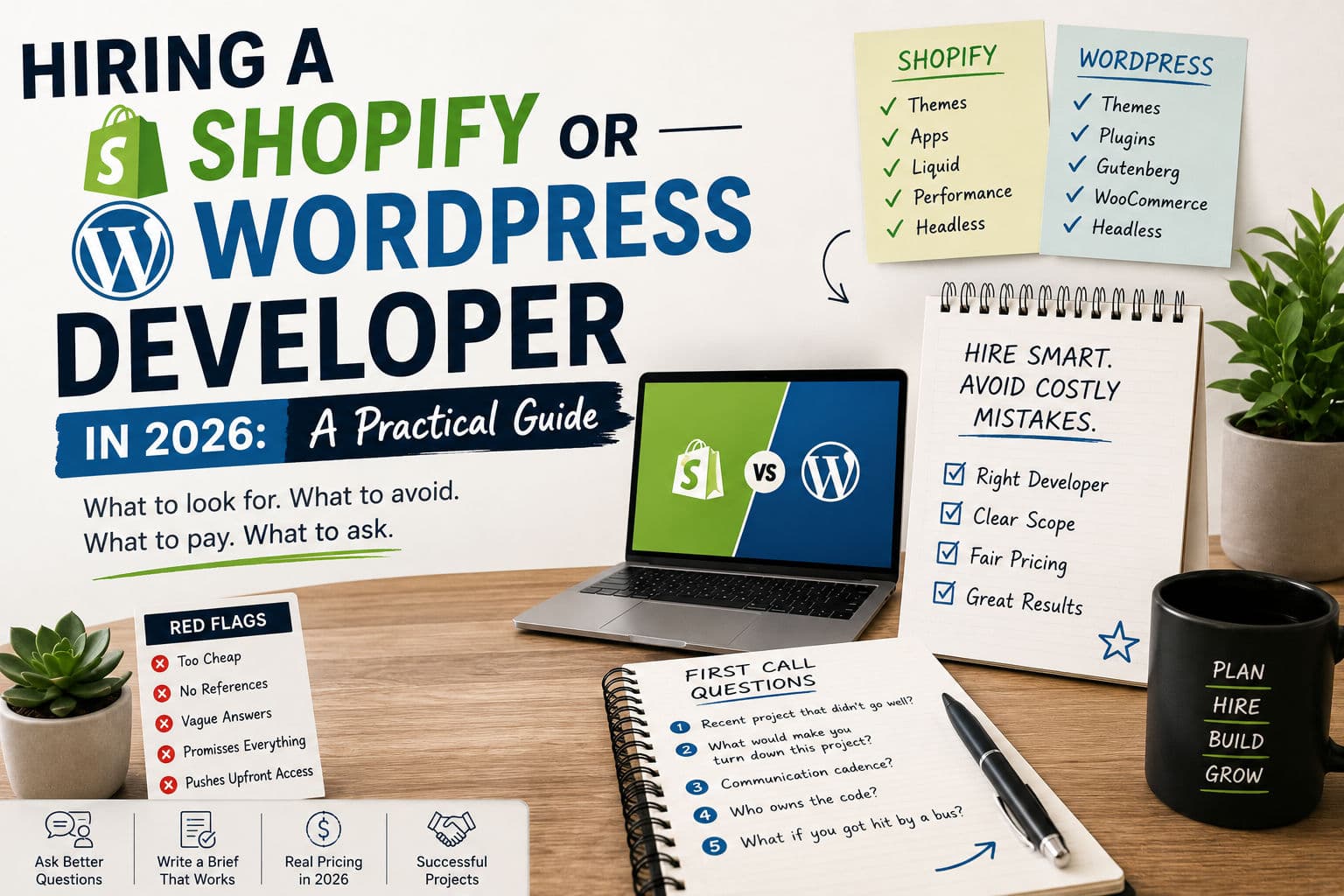
If you’re hiring a Shopify or WordPress developer in 2026 and the last person you worked with didn’t go well, you’re not alone. The freelance market is louder than ever, marketplaces are full of generalists who’ve never opened Liquid or written a Gutenberg block, and the signals that used to mean “competent” (a polished portfolio, a 5-star rating) mean less every year.
This is the guide I wish my clients had read before their first hire. It covers what to look for, what to ignore, how much things should cost, and the specific questions to ask on the first call to separate a real Shopify developer or WordPress developer from someone who’s about to learn on your project.
1. Agency vs freelance: what you’re really choosing
Agencies sell you a process. Freelancers sell you a person. Both are legitimate — the right answer depends on what your project actually needs.
Hire an agency when you need (a) more than one specialist (developer + designer + project manager), (b) coverage when your primary contact takes a vacation, or (c) a contract that survives the person doing the work leaving the company. Expect to pay 2–4× the hourly rate of a comparable freelancer for the process layer.
Hire a freelance Shopify developer or WordPress developer when the project is scoped tightly enough that you don’t need a project manager, when you want direct technical conversations with the person writing the code, or when the work is specialist enough that agencies would subcontract it to a freelancer anyway. Most small-to-mid ecommerce and content projects fall here.
2. What to actually look for
The portfolio matters less than people think. Most agency portfolios are a mix of work the senior team did three years ago and work the contractors-of-contractors did last week. A polished case study tells you nothing about who will actually touch your code.
What actually predicts good outcomes:
- A specific platform focus. A developer who claims Shopify, WordPress, Webflow, Wix, React Native, and Flutter is a generalist who will Google your problem in front of you. The good ones go deep on one or two platforms. Look for “Shopify developer” or “WordPress developer” positioning, not “full-stack web developer.”
- Public writing. Blog posts, conference talks, dev.to / Hashnode profiles, GitHub repos. The people who write publicly about their craft tend to actually have one. Empty content presence isn’t a deal-breaker but it’s a useful signal when present.
- Honesty about what they don’t do. Ask “what kinds of projects do you turn away?” A good freelancer has a clear answer. Someone who’ll take any project has no judgment, and judgment is half of what you’re paying for.
- References from clients similar to you. Not just glowing testimonials — clients you can actually email or call. Real references will tell you what was hard, not just what was good.
3. Red flags that should kill the conversation
Stop the conversation if you see any of these:
- They quote you a fixed price before understanding the project. A quote that arrives within 5 minutes of you describing the project is not a quote, it’s a placeholder. Real quotes follow questions.
- They can’t name specific apps/plugins they’ve worked with. A real Shopify developer will namedrop Klaviyo, Judge.me, Searchanise, ReCharge, Stamped, Bold. A real WordPress developer will name ACF, WP Rocket, Yoast, WooCommerce-Subscriptions, Polylang. Vague answers mean vague experience.
- They want full admin access before signing a contract. Reverse this. Sign a contract, then give limited access. Anyone insisting on the other order is either inexperienced or hoping to scope-creep you.
- They badmouth every previous client. If everyone they’ve worked with has been “a nightmare,” they’re the common variable.
- Their own website is broken. A WordPress developer whose WordPress site won’t load is a tell. Same for a Shopify developer whose Shopify portfolio store has a 5-second LCP.
4. What things should cost in 2026
Prices below are for US-based or US-time-zone-aligned freelancers with real production experience. You can find cheaper on overseas marketplaces but the rework rate erases the savings on anything complex.
Shopify developer rates:
- Hourly: $35–$100/hr (entry-level to specialist)
- Small theme tweak (single section, single page): $200–$750
- Custom theme section + customizer settings: $750–$2,500
- Full Shopify speed optimization engagement: $1,250–$4,000
- Headless Shopify build (Next.js + Storefront API): $7,500–$30,000+
- Shopify Plus B2B + Markets work: $5,000–$20,000+
WordPress developer rates:
- Hourly: $30–$75/hr
- Custom Gutenberg block: $200–$750
- WooCommerce extension or custom payment flow: $750–$3,000
- Custom theme from scratch (no page builder): $2,500–$7,500
- WordPress speed optimization engagement: $750–$2,500
- Headless WordPress + Next.js marketing site: $5,000–$20,000+
Charge-by-the-hour is fine for ambiguous discovery work. For anything with a clear scope, push for a fixed deliverable price. You don’t care how many hours it takes — you care whether the LCP drops under 2.5s and whether the custom block ships.
5. Questions to ask on the first call
Most discovery calls are wasted on the developer asking questions and you answering them. Flip it. Here are the questions that actually separate good from bad:
- “Walk me through a recent project that didn’t go well. What happened?” Anyone who says all their projects go well is lying. The honest answer tells you how they handle conflict, scope creep, and their own mistakes.
- “What would make you turn down this project?” Good freelancers have a clear answer. Bad ones say “nothing, I’m flexible.”
- “What’s your communication cadence look like?” The right answer is specific: “Slack async, max 24-hour response on weekdays, weekly Friday update with progress + blockers.” Vague answers mean vague communication.
- “Who owns the code at the end?” The correct answer is “you.” Anyone trying to lock you into their hosting, their proprietary framework, or their account is building a hostage situation.
- “If you got hit by a bus, what would happen to my project?” Listen for: documented handover, code in your GitHub org (not theirs), credentials in a shared password manager, plain-English README in the repo.
6. How to write a brief that gets useful proposals
Most briefs read like a wish list. The brief that gets you useful proposals reads like a problem statement. Structure it like this:
- Current state. What does the site look like today? Link the live URL, screenshots, or admin access if the site isn’t public. Numbers if you have them (LCP, conversion rate, monthly traffic).
- The problem. Not the solution. “Cart drawer is slow on mobile” is a problem; “rewrite the cart drawer in Alpine.js” is a solution. Let the developer choose the solution.
- Why now. Is this a launch deadline? A drop in conversion? A new app that broke the theme? “Why now” tells the developer how to prioritize trade-offs.
- Budget range. Not your exact number, but a 2× range (“$1,500–$3,000”). Hiding your budget wastes everyone’s time. A good freelancer will tell you if the project is too big or too small for the range and adjust scope accordingly.
- Hard constraints. Anything that’s a deal- breaker: must work with X plugin, must launch by Y date, must keep editorial team able to edit in Z way.
7. After you hire: how to not waste their time
You hired well. Now the project goes well or badly depending on whether you respect the developer’s time the way you’d want yours respected. Three rules:
- Batch your feedback. Don’t Slack a thought every 20 minutes for three days. Sit with the work for a day, write a consolidated review, send it in one message. You’ll get a better fix and you won’t derail the developer’s flow.
- Decide once. If you’ve approved the deliverable list, don’t add three new items midway through implementation and act surprised when timeline slips. Scope changes are fine; they just need new scope and new price.
- Don’t loop in stakeholders mid-build. The person who will hate the new design / new feature / new flow should have been in the room when you scoped it. Bringing them in at the QA stage is how projects fail.
Next step
If you’re actively looking, the two pages most worth reading next are:
- /shopify-developer — full breakdown of what a Shopify developer engagement with me looks like, including pricing and process.
- /wordpress-developer — same for WordPress: custom themes, Gutenberg blocks, WooCommerce extensions, headless builds.
And if you already know the specific job — not “a developer” in general — the focused service pages go straight to scope and process:
- Shopify theme customization — custom sections, blocks, and layout work on an existing theme.
- Shopify speed optimization — Core Web Vitals and storefront performance cleanup.
- WordPress development — edits, fixes, custom blocks, and WooCommerce implementation.
- WordPress speed optimization — caching, asset cleanup, and the hosting-level fixes that actually move Core Web Vitals.
- Or browse the full services overview.
If you’re not sure which one fits, book a free 15-minute call. Bring the site (or the design), describe the problem in plain English, and I’ll tell you whether it’s a project I’d take or whether you’d be better off with a different developer (or no developer at all, sometimes).