

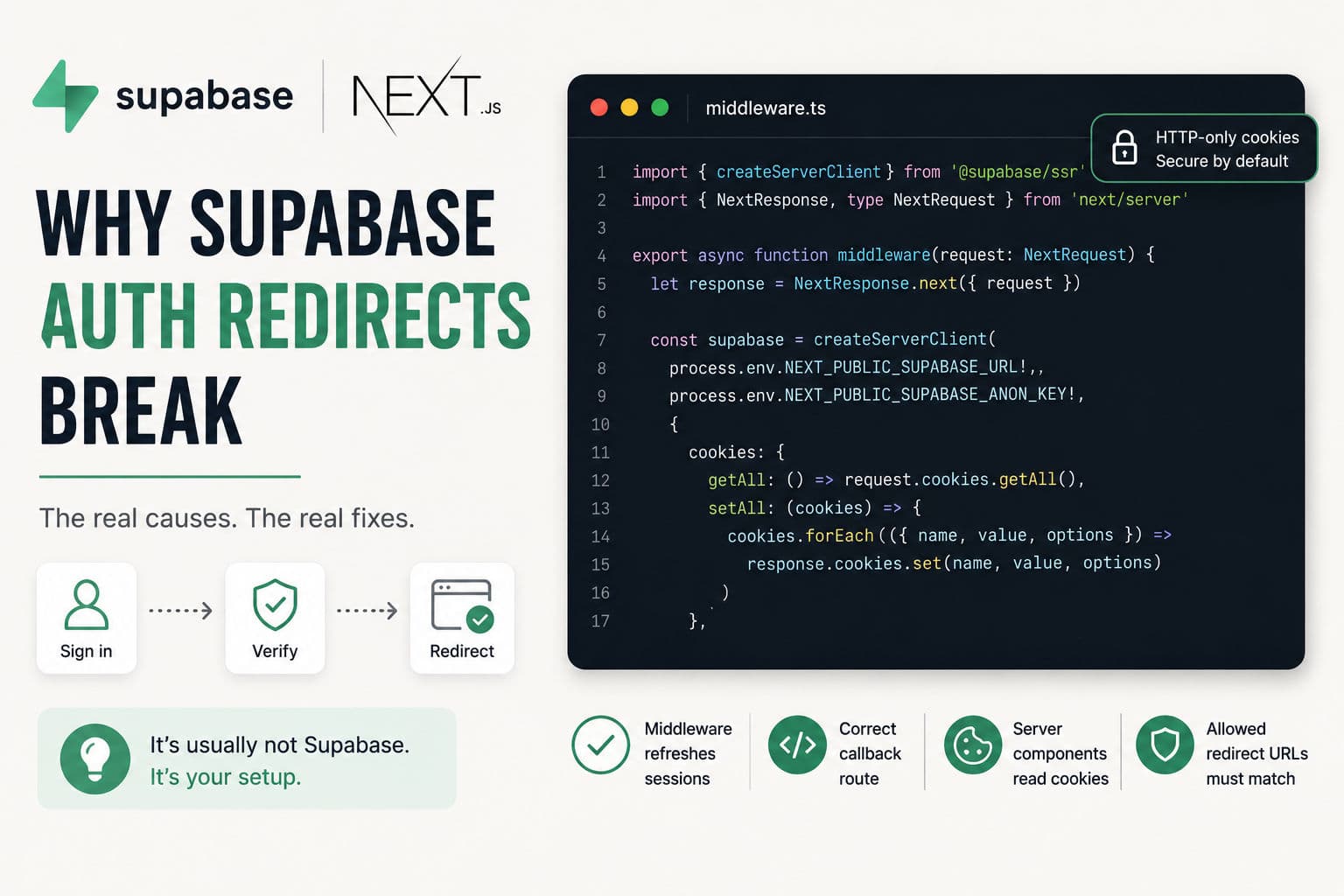
You wire up Supabase Auth, the sign-in flow completes without an error, and then… nothing. The user sits on the login page, or gets bounced to the wrong URL, or the session is missing on the server even though the cookie is right there in DevTools. After debugging this across several client projects, I’ve found there are really only three or four root causes — and every one of them is specific to how the App Router handles cookies and server state differently from the Pages Router.
Here’s exactly where the break happens and how to fix it.
1. How Supabase Auth actually works in App Router
In the Pages Router era, Supabase’s old supabase-auth-helpers-nextjs package used getServerSideProps to hydrate the session on every request. Simple. In the App Router, there’s no getServerSideProps — so session persistence has to go through the cookie layer, refreshed by middleware before Server Components ever render.
The current package is @supabase/ssr. It replaces the old helpers and is built around three things working together: a browser client for client components, a server client for Server Components and Route Handlers, andmiddleware that refreshes the session token on every request. If any of the three is missing or misconfigured, auth breaks — usually silently.
2. The most common culprit: missing or misconfigured middleware
This is what I see first on almost every broken Supabase auth setup. Someone followed a slightly outdated tutorial (or skipped the middleware step entirely because it wasn’t obvious), and the session token never gets refreshed between requests.
The symptom: the user signs in, the Supabase client sets a cookie, but the very next Server Component request reads an expired or missing session because the access token wasn’t silently refreshed. The redirect never fires, or it fires and the destination page immediately bounces them back to login.
Your middleware.ts needs to:
- Create a Supabase client using
createServerClientfrom@supabase/ssr - Pass in cookie getter and setter that operate on the
NextResponse - Call
supabase.auth.getUser()— this is what triggers the token refresh - Match every route that needs a valid session (don’t accidentally skip your dashboard routes)
      // middleware.ts
      import { createServerClient } from '@supabase/ssr'
      import { NextResponse, type NextRequest } from 'next/server'

      export async function middleware(request: NextRequest) {
        let response = NextResponse.next({ request })

        const supabase = createServerClient(
          process.env.NEXT_PUBLIC_SUPABASE_URL!,
          process.env.NEXT_PUBLIC_SUPABASE_ANON_KEY!,
          {
            cookies: {
              getAll: () => request.cookies.getAll(),
              setAll: (cookiesToSet) => {
                cookiesToSet.forEach(({ name, value, options }) =>
                  response.cookies.set(name, value, options)
                )
              },
            },
          }
        )

        // getUser() — not getSession() — triggers the token refresh
        await supabase.auth.getUser()
        return response
      }

      export const config = {
        matcher: ['/((?!_next/static|_next/image|favicon.ico).*)'],
      }
The critical detail: you must call getUser(), not getSession().getSession() reads from the cookie without verifying with Supabase servers, so it won’t refresh an expired access token. getUser() hits the server and returns a fresh session or null. That call is what keeps the cookie alive across requests.
3. The auth callback route
Magic-link and OAuth flows don’t return directly to your app with a session cookie. They return a URL with a code in the query string. Your app has to exchange that code for a session. That’s what the callback Route Handler does.
If this route doesn’t exist, or exists at the wrong path, the exchange never happens and you end up with no session.
      // app/auth/callback/route.ts
      import { createServerClient } from '@supabase/ssr'
      import { cookies } from 'next/headers'
      import { NextResponse } from 'next/server'

      export async function GET(request: Request) {
        const { searchParams, origin } = new URL(request.url)
        const code = searchParams.get('code')
        const next = searchParams.get('next') ?? '/dashboard'

        if (code) {
          const cookieStore = await cookies()
          const supabase = createServerClient(
            process.env.NEXT_PUBLIC_SUPABASE_URL!,
            process.env.NEXT_PUBLIC_SUPABASE_ANON_KEY!,
            { cookies: { getAll: () => cookieStore.getAll(), setAll: (c) => c.forEach(({ name, value, options }) => cookieStore.set(name, value, options)) } }
          )
          const { error } = await supabase.auth.exchangeCodeForSession(code)
          if (!error) return NextResponse.redirect(`${origin}${next}`)
        }

        return NextResponse.redirect(`${origin}/auth/error`)
      }
The redirect after exchangeCodeForSession should go to your actual post-login destination — /dashboard, /app, wherever. Thenext query param is a common pattern for passing that URL through the auth flow. If you don’t have the callback route at /auth/callback, your Supabase dashboard’s redirect URL setting won’t match, and OAuth will 404.
4. Reading session in a Server Component
Server Components can’t receive session state from a client-side store — they have to read it from cookies directly. If you’re using the browser client (the one initialized with createBrowserClient) inside a Server Component, the session will always be empty.
You need a separate server client created with createServerClient from@supabase/ssr, using cookies() from next/headers. These are two distinct Supabase clients — one for the browser, one for the server — and mixing them up is one of those bugs that’s invisible until you look closely.
When you call supabase.auth.getUser() from the server client, it reads the cookie set by middleware and returns the authenticated user. From there you can redirect unauthenticated users using Next.js’s redirect() fromnext/navigation.
5. Redirect URL mismatches in Supabase dashboard
Supabase validates redirect URLs against an allowlist in your project settings. If the URL your app sends doesn’t exactly match one of the allowed URLs, the OAuth or magic-link flow fails — sometimes with a generic error, sometimes silently.
Things that trip this up:
- Local dev uses
http://localhost:3000but you only addedhttp://localhost:3000/(trailing slash matters) - Preview deployments (Vercel, Netlify) have dynamic URLs that aren’t in the allowlist
- You set
NEXT_PUBLIC_SITE_URLto your production domain but forgot to update Supabase’s “Redirect URLs” list - You changed your domain but only updated one of the two places (app config vs Supabase dashboard)
For preview deployments, Supabase supports wildcard URLs in the allowlist:https://*.vercel.app/** will match any Vercel preview URL. Add that once and stop chasing individual preview URLs.
6. What I’d actually do on a client project
Supabase auth in the App Router has gotten significantly better since@supabase/ssr landed, but the docs still have a few gaps and the migration from the old helpers is genuinely confusing. Here’s my honest checklist when a client hands me a broken Supabase auth setup:
- Check the package first. If they’re still on
supabase-auth-helpers-nextjs, that’s the problem. Migrate to@supabase/ssr. The old package doesn’t support the App Router properly. - Confirm middleware is running on the right routes. Add a
console.loginside the middleware function and watch the server output. If it’s not logging on dashboard routes, yourmatcherconfig is wrong. - Swap
getSession()forgetUser()everywhere on the server.This one change fixes more broken auth than anything else I’ve done. - Verify the callback route exists at the exact path in the Supabase dashboard.Open the Supabase dashboard, go to Authentication → URL Configuration, and compare it character-for-character with the Route Handler path.
- Test on a fresh incognito window. Cached cookies from a previous session hide bugs. Always test auth flows clean.
One thing I’d push back on: the tendency to reach for a heavy auth library on top of Supabase. Supabase Auth is already a complete solution — adding NextAuth or Auth.js on top just introduces another session layer to synchronize. Keep it to @supabase/ssr plus middleware and the complexity stays manageable.
If you’re building something more complex — multi-tenant auth, role-based access control across RSC and Route Handlers, or SSO — those are the cases where it’s worth having someone who’s already mapped the edge cases review the setup. I cover exactly that kind of work in my development consultation.
For real-world examples of App Router architecture decisions (auth included), check the case studies — the pattern comes up in almost every greenfield Next.js project.