

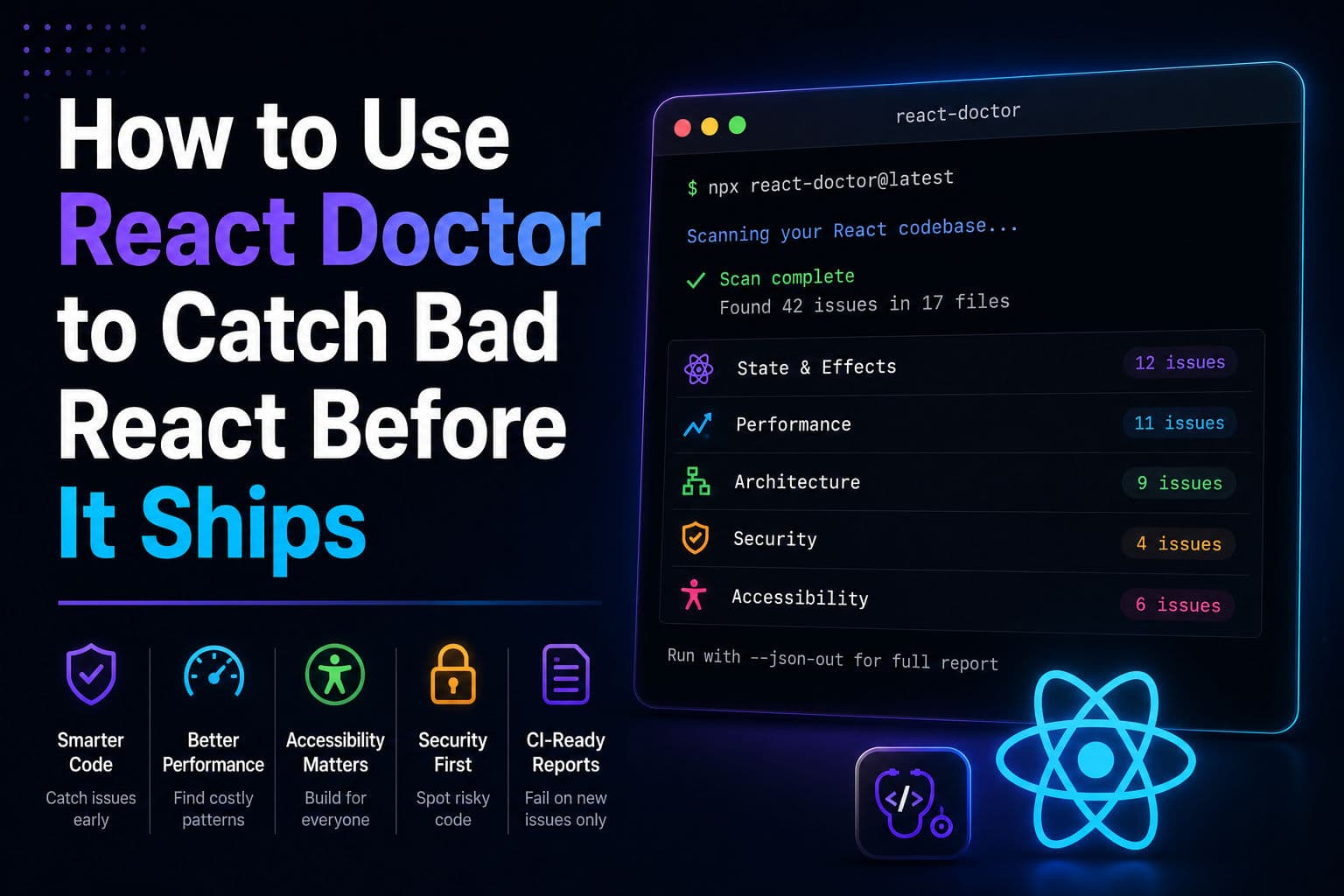
AI coding agents write a lot of React — and most of it works, right up until it doesn’t. React Doctor is a new static scanner from Million.js that just hit the GitHub trending page, and its pitch is simple: run one command, get a deterministic list of bad patterns across state & effects, performance, architecture, security, and accessibility. No config required to start.
Here’s how to actually use it on a real project, and where it earns its keep.
1. What React Doctor does (and doesn’t do)
React Doctor is not a linter. ESLint with eslint-plugin-react and eslint-plugin-react-hooksalready catches syntax-level mistakes like missing dependency arrays. React Doctor operates one level up — it looks at patterns: state colocation, effect architecture, unnecessary re-renders, component size heuristics, accessibility violations, and a security category that catches things like dangerouslySetInnerHTML without sanitization.
The “your agent writes bad React” framing is accurate. Cursor, Claude Code, and Codex tend to produce React that compiles and runs — but that also scatters state across five components when one would do, or adds useEffect chains that could just be derived values. This tool is specifically designed to catch that class of mistake.
It works across Next.js, Vite, TanStack, React Native, and Expo — anything with a React codebase.
2. Running your first audit
No install required. At your project root:
      # Run a one-time audit at your project root — no install needed
      npx react-doctor@latest

      # Get a machine-readable JSON report
      npx react-doctor@latest --json-out audit.json

      # Opt out of telemetry if needed
      npx react-doctor@latest --no-telemetry
That’s it. The scan runs against your local source tree and prints findings grouped by category. Expect output that looks like rule violations with file paths and line numbers — similar to ESLint output, but for higher-level architectural issues.
If you want the full machine-readable report — useful for diffing between runs or feeding into other tools — add --json-out audit.json. The JSON schema is versioned (schemaVersion: 3as of now) and each finding has a deterministic diagnostic ID, so you can track specific issues across time without false positives from line-number drift.
One thing worth knowing: the first scan on a large codebase will likely produce a lot of findings. Don’t try to fix everything at once. The CI mode (covered below) is explicitly designed for that situation — it reports only what your current change introduced, not your entire backlog.
3. Wiring it to your coding agent
This is the feature that makes React Doctor interesting beyond just “another audit script.” Once you have a baseline audit, you can install the scan results as a skill your coding agent reads before writing new code:
      # After running the initial audit, install the skill for your coding agent
      npx react-doctor@latest install

      # Works with: Claude Code, Cursor, Codex, OpenCode, and others
      # This writes a context file the agent reads before generating new code
This writes a context file your agent (Cursor, Claude Code, Codex, OpenCode, and others) can consume before it starts generating. The idea is that the agent reads your project’s specific failure patterns and avoids repeating them. In practice, this means fewer review cycles on AI-generated PRs for the exact same classes of mistake.
I’d treat the agent install as a complement to CI, not a replacement. Agents hallucinate; they’ll sometimes ignore context files entirely. CI is your hard gate.
4. Adding it to CI
The CI integration is where the tool earns its place on a team. One command sets up the whole GitHub Actions workflow:
npx react-doctor@latest ci install
That adds the workflow file, configures the scan, and wires up a PR comment summary. The critical detail: it only reports issues introduced by the current change, not your existing backlog. This is the right design decision — the alternative (blocking PRs on existing issues) is the reason teams turn off linters entirely.
Configuration is adjustable after install:
react-doctor ci config— change the failure gate, scan scope, or comment behaviorreact-doctor ci upgrade— bump the action version- GitLab CI is supported, but gets a gate-only scaffold, not the full PR comment integration
For rule configuration, create a doctor.config.ts at the project root. Theconfig docscover which rules are available and how to tune or disable them. If you’re on a legacy codebase, you’ll almost certainly want to disable some architectural rules on the first pass — otherwise CI will block everything.
5. Reading the results without drowning
After your first full scan, you’ll likely see findings in several categories. Here’s how I’d prioritize them:
- Security findings first, always. Anything flagging
dangerouslySetInnerHTML, unsanitized props being passed to DOM elements, oreval-adjacent patterns is a P0. Fix these before you do anything else. - Effect architecture second. Unnecessary
useEffectcalls — especially ones that exist purely to sync state to state — are the most common source of subtle bugs and infinite render loops in AI-generated code. These are usually straightforward to fix: convert to derived values, move logic into event handlers, or lift computation out of the component entirely. - Performance findings third. Missing
keyprops, inline object/array creation in render, and components that should be memoized. These won’t break anything immediately but compound over time. - Architecture and accessibility last. Component size violations and accessibility gaps are important, but they’re usually longer-term refactor work rather than quick fixes.
The JSON report’s deterministic diagnostic IDs are useful here: export the baseline toaudit-baseline.json, commit it, and diff against it on each run to see whether the codebase is actually improving.
6. When I’d actually reach for this on a client project
There are two scenarios where I’d add React Doctor without hesitation.
Scenario one: a codebase with heavy AI-assisted development. If a team is using Cursor or Claude Code as their primary code driver, the pattern React Doctor catches (scattered state, effect overuse, missing accessibility attributes) shows up constantly — not because the devs are bad, but because agents optimize for “it compiles” over “it’s maintainable.” Dropping this in CI with a reasonable gate is a 20-minute setup that pays for itself in the first sprint review.
Scenario two: a mid-size codebase before a performance audit. I do a lot ofReact consulting where the first deliverable is an architectural assessment. Running React Doctor before the manual review surfaces the easy wins immediately, so I can spend the billable hours on the non-obvious problems. It’s a force multiplier for the audit, not a replacement for it.
Where I’d skip it or at least delay it:
- Greenfield projects in early exploration. When the architecture is still being figured out, architectural lint failures create noise, not signal. Add it when the project structure has stabilized — usually after the first major feature is shipped.
- Legacy codebases with no test coverage. The findings will be overwhelming, and without tests, touching the flagged code is risky. Get some integration tests in place first, then turn on the CI gate incrementally.
- Solo projects you’re not shipping commercially. Overkill. Run it once for curiosity, but don’t add CI overhead to a side project.
One honest caveat: the tool is young. The rule set will evolve, the config API might change, and “deterministic” is a claim worth verifying on your own codebase before you stake a CI gate on it. Run it locally a few times before wiring it to block merges. That said, the underlying thesis — that AI-generated React needs a separate class of analysis beyond what ESLint covers — is correct, and this is the most credible implementation of that idea I’ve seen so far.
If you want to go deeper on the React patterns this tool flags — effect architecture, state colocation, memoization tradeoffs — that’s exactly what I cover inReact tutoring sessions. And if you’re looking at a larger codebase that needs a structured review, the development consultation is the right starting point.