

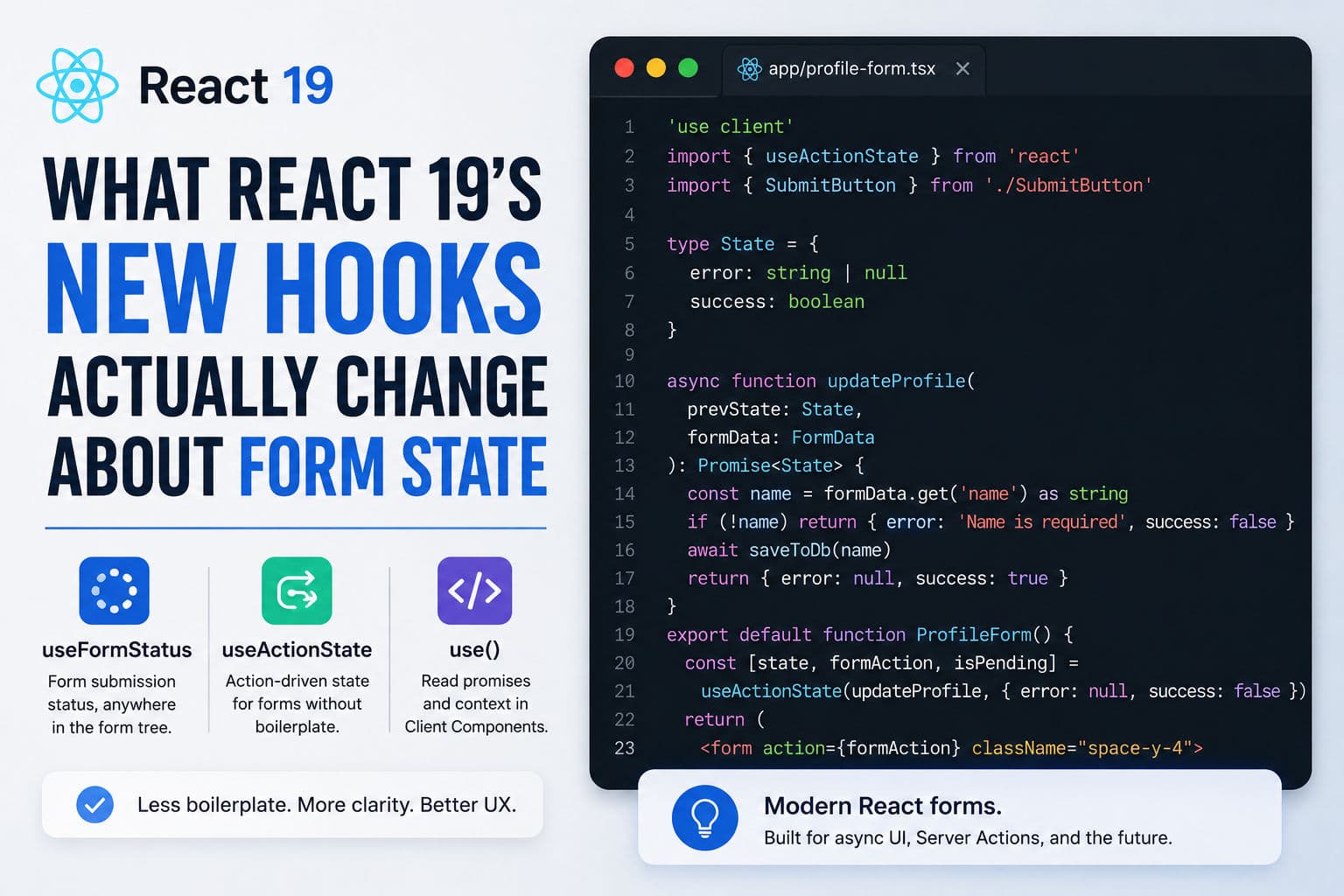
React 19’s three new hooks—useFormStatus, useActionState, and use()—aren’t just convenience wrappers. They change the shape of how you write forms and async UI at a conceptual level. I’ve been using them across several client projects now, and there are a handful of things that the “here’s the new API” posts miss.
Let me get into what actually shifted—and what hasn’t.
1. The old ceremony you can now skip
Before React 19, a form wired to a Server Action with proper loading and error state looked like this: a parent component holding useState for the error message, useTransition for the pending flag, a submit handler that called startTransition, and then that pending flag passed as a prop down to a submit button that lived three levels away. Perfectly functional. Extremely tedious.
Every project I touched had a slightly different version of this pattern, because there was no canonical way to do it. Junior devs would forget useTransition and the button would never disable. Someone else would add a second useState for success state and suddenly you’re managing four booleans in one component.
React 19 collapses most of this. That’s the real headline—not the specific APIs, but the reduction in accidental state complexity.
2. useFormStatus: the detail most posts get wrong
useFormStatus reads the submission state of the nearest ancestor <form>. The critical constraint: it has to live in a component that’s a child of the form, not in the same component as the form.
This trips people up constantly. You write:
      // ❌ This won't work — useFormStatus must be in a child of the form
      function MyForm() {
        const { pending } = useFormStatus(); // always false here
        return (
          <form action={myAction}>
            <button disabled={pending}>Submit</button>
          </form>
        );
      }

      // ✅ Extract the button into its own component
      function SubmitButton() {
        const { pending } = useFormStatus();
        return <button disabled={pending}>{pending ? 'Saving…' : 'Submit'}</button>;
      }

      function MyForm() {
        return <form action={myAction}><SubmitButton /></form>;
      }
And wonder why pending is always false. The fix is to extract SubmitButton into its own component and render it inside the form. Once you internalize that constraint, the hook is great—your button component becomes a self-contained unit that knows its own loading state without props.
What I actually like about this: it means you can build a <SubmitButton /> component once and drop it into any form. No prop-drilling. No wiring. The form ancestry is the implicit context.
3. useActionState: it’s not just useState with a callback
useActionState takes an action function and an initial state, and returns [state, formAction, isPending]. You pass formAction directly to the form’s action prop.
      async function updateProfile(prevState: FormState, formData: FormData): Promise<FormState> {
        const name = formData.get('name') as string;
        if (!name) return { error: 'Name is required', success: false };
        await saveToDb(name);
        return { error: null, success: true };
      }

      function ProfileForm() {
        const [state, formAction, isPending] = useActionState(updateProfile, { error: null, success: false });
        return (
          <form action={formAction}>
            <input name="name" />
            {state.error && <p>{state.error}</p>}
            <button disabled={isPending}>Save</button>
          </form>
        );
      }
The thing that took me a moment to grok: the action function receives the previous state as its first argument, before the FormData. That’s intentional—it lets you build reducers, not just one-shot handlers. You can accumulate errors per field, track retry counts, or merge new data with old state, all inside one pure function.
The practical implication for Server Actions: your action now has a defined return type that becomes the UI state. No more implicit “throw an error and catch it somewhere” patterns. The error is just data you return from the function.
One gotcha I hit: if you forget to return from every branch of your action, React will set state to undefined and you’ll get a confusing render. Treat the action like a Redux reducer—every code path needs to return the full state shape.
4. The use() hook: power and footgun in one
use() lets you unwrap a Promise or read a Context inside a Client Component, including conditionally. That last part is the unusual bit—unlike every other hook, use() can appear inside an if block.
The common demo shows use(promise) inside a Client Component wrapped in <Suspense>. Clean. But there are two things worth noting before you lean on this pattern in production:
- The promise needs to come from outside the component. If you create the Promise inside the component body, you’ll get a new one on every render, which Suspense will treat as “still loading” forever. Pass it in as a prop or create it in a stable outer scope.
- Error boundaries are your responsibility.
use()throws on rejection. If you don’t have an<ErrorBoundary>in the tree, you’ll get an unhandled error. This is easy to miss in development where React’s overlay catches it, but it matters in production.
For Context reads, use(MyContext) is a drop-in replacement for useContext(MyContext)—but with the added flexibility of conditional usage. I don’t reach for that in most situations, but it’s genuinely useful when you need to read context only in certain branches of a component.
5. What I’d actually change on a real project
After using these across a few projects, here’s my honest take on adoption:
Adopt useActionState immediately for any form wired to a Server Action. The “action returns state” model is cleaner than what most teams had before, and it removes a whole category of state-sync bugs. The learning curve is just remembering the argument order.
Extract your submit button into a shared component and use useFormStatus inside it. Do this once, commit it to your component library, and you’re done. Every form in your app gets correct pending behavior for free.
Be conservative with use(promise) until you’ve read how your specific data-fetching layer handles promise stability. If you’re using React Query or SWR, you probably don’t need this pattern at all—those libraries already give you suspense-compatible hooks. Where use() genuinely shines is when you’re passing a server-initiated Promise from a Server Component down to a Client Component, which is a Next.js App Router–specific pattern that’s harder to replicate with third-party libraries.
What I haven’t changed: I still use useTransition directly when I need to trigger a transition from something that isn’t a form submit—a click handler, a keyboard shortcut, a drag event. These new hooks are form-centric by design. They’re not a full replacement for useTransition; they’re an abstraction on top of it for the specific case of form actions.
One broader point: the direction React is pushing here is “less local state, more action-driven state.” Your form component should describe what action to invoke, not how to manage the loading lifecycle. That’s a real mental model shift—and it pairs well with Server Actions because the action itself lives on the server, further separating concerns. If you’re tutoring someone on React or onboarding a junior dev, I’d spend time here; this is where React’s idioms are actually moving.
6. Where this leaves you
React 19’s new hooks aren’t flashy—they’re a cleanup of patterns that were always possible but never ergonomic. The win is consistency: every form on your team now has a canonical shape, instead of each developer inventing their own useState + useTransition combo.
If you want to go deeper on patterns like this—transitions, concurrent features, async state management—I cover them in React tutoring sessions. And if you’re working through general JavaScript fundamentals that underpin all of this, the JavaScript tutoring track is a good place to start.
If you’re already deep in a project and want a second opinion on your form architecture or state management approach, book a consultation and we can look at it together.