

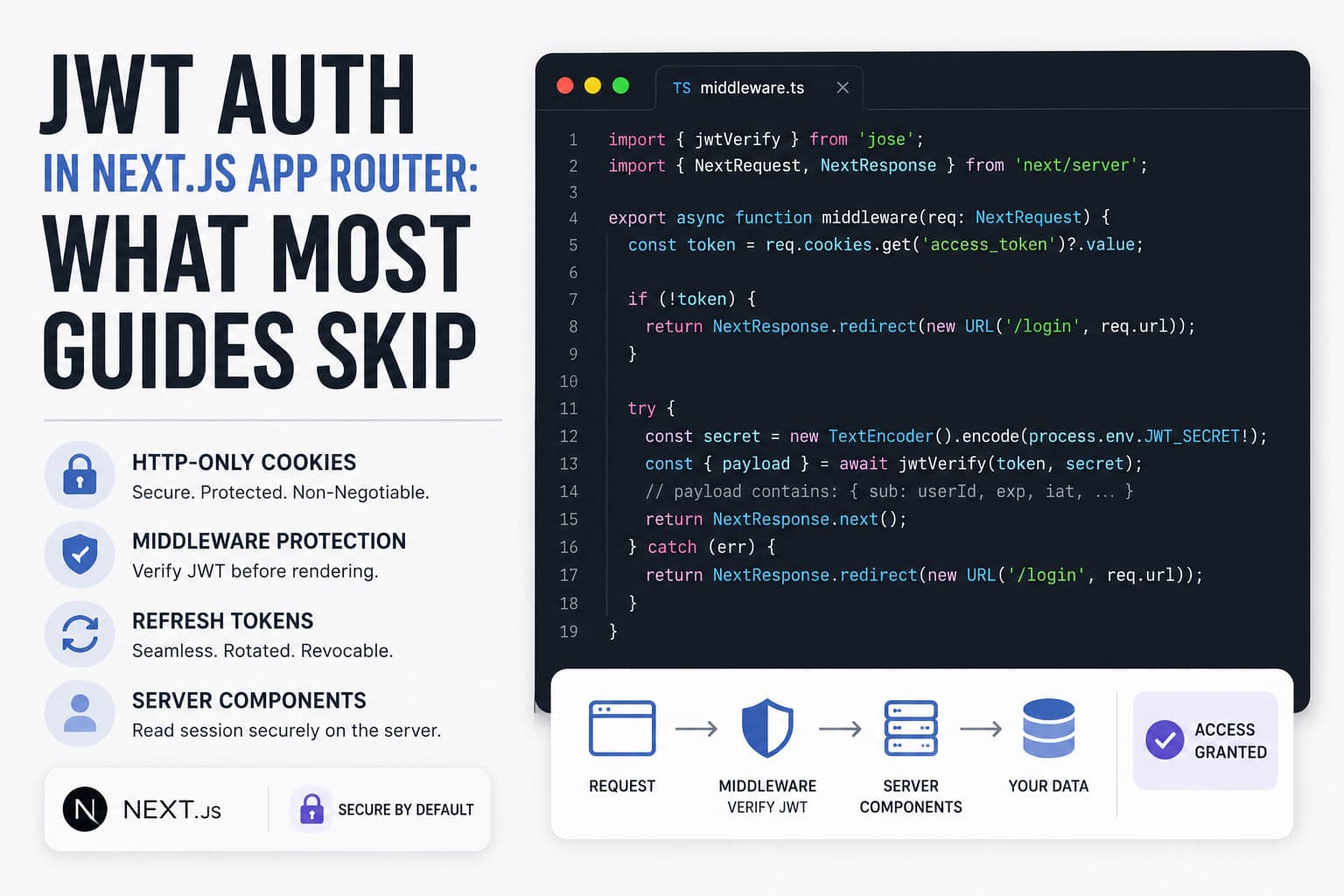
JWT authentication in Next.js is one of those topics with a hundred tutorials and almost none of them cover what actually bites you in production. I’ve shipped auth layers across a dozen Next.js App Router projects — SaaS dashboards, e-commerce backends, internal tools — and the patterns that hold up look pretty different from the “complete guide” you usually find.
Here’s what I’d tell a dev before they write a single line of auth code.
1. Why JWT still makes sense in App Router
The debate between JWTs and session tokens is real, but it’s often framed wrong. JWTs aren’t inherently better or worse than opaque session IDs — they’re stateless, which means your Next.js server doesn’t need to hit a database or Redis on every request to know who the user is. That’s genuinely useful when you’re running on serverless functions (Vercel, AWS Lambda) where a persistent in-memory session store doesn’t exist.
The tradeoff: you can’t instantly revoke a JWT before it expires. If a user logs out or gets banned, the token stays valid until expiry. For most B2B SaaS tools with short-lived tokens (15–60 minutes), that’s an acceptable risk. For a fintech or healthcare app, you’ll want a token denylist in Redis on top.
The operational simplicity of JWTs in a serverless Next.js deployment is the real argument for them — not the architecture diagram that’s in every blog post.
2. HTTP-only cookies, not localStorage — non-negotiable
Every tutorial I’ve seen that stores JWTs in localStorage should be ignored. Full stop. localStorage is accessible to any JavaScript on the page, which means any XSS vulnerability — in your code, a third-party script, an npm package — can exfiltrate the token silently.
HTTP-only cookies are inaccessible to JavaScript by definition. Set them with:
HttpOnly: true— blocks JS accessSecure: true— HTTPS only (always in production)SameSite: lax— protects against most CSRF vectors without breaking OAuth redirects- An explicit
PathandMax-Agematching your refresh cadence
In a Next.js Route Handler, setting the cookie looks like this:
      import { cookies } from 'next/headers';
      import { SignJWT } from 'jose';

      export async function POST(req: Request) {
        // ... validate credentials, get userId ...
        const secret = new TextEncoder().encode(process.env.JWT_SECRET!);
        const token = await new SignJWT({ sub: userId })
          .setProtectedHeader({ alg: 'HS256' })
          .setExpirationTime('15m')
          .sign(secret);

        cookies().set('access_token', token, {
          httpOnly: true,
          secure: process.env.NODE_ENV === 'production',
          sameSite: 'lax',
          path: '/',
          maxAge: 60 * 15, // 15 minutes
        });

        return Response.json({ ok: true });
      }
The cookies() API from next/headers is the right call here — it works in Route Handlers and Server Actions without reaching for the rawResponse object. One thing that catches people: you can’t callcookies().set() inside a React Server Component render. Route Handlers and Server Actions only.
3. Middleware is the right place for route protection, mostly
Next.js Middleware runs at the edge before the page renders, which makes it ideal for auth checks. You verify the JWT, and if it’s invalid or missing, you redirect to /login before the React tree even starts.
A minimal check in middleware.ts:
      import { jwtVerify } from 'jose';
      import { NextRequest, NextResponse } from 'next/server';

      const PROTECTED = ['/dashboard', '/settings', '/api/user'];

      export async function middleware(req: NextRequest) {
        const isProtected = PROTECTED.some(p => req.nextUrl.pathname.startsWith(p));
        if (!isProtected) return NextResponse.next();

        const token = req.cookies.get('access_token')?.value;
        if (!token) return NextResponse.redirect(new URL('/login', req.url));

        try {
          const secret = new TextEncoder().encode(process.env.JWT_SECRET!);
          await jwtVerify(token, secret);
          return NextResponse.next();
        } catch {
          return NextResponse.redirect(new URL('/login', req.url));
        }
      }

      export const config = { matcher: ['/dashboard/:path*', '/settings/:path*'] };
A few gotchas I’ve hit:
- Edge runtime has no Node.js crypto. Don’t reach for
jsonwebtokenin middleware — it uses Node APIs not available at the edge. Usejoseinstead, which is Web Crypto compatible. - Middleware runs on every request including static assets. Always scope your matcher to the routes that actually need protection, or you’ll pay the latency on
_next/staticfiles. - A failed JWT verify doesn’t mean the user is malicious. It usually means the token expired. Return a redirect to a refresh endpoint or login, not a 403.
4. Reading the session in Server Components
Once the middleware lets the request through, you often need the user object inside a Server Component — to fetch their data, personalize the UI, pass their ID to a database query. The pattern I use:
- Create a
getSession()utility that reads the cookie viacookies()fromnext/headersand verifies the JWT. - Call it at the top of any layout or page Server Component that needs the user.
- Pass the user down as a prop or put it in a server-side context if your component tree is deep enough to warrant it.
What you don’t want: calling getSession() in every nested Server Component separately. Next.js deduplicates fetch() calls with the same cache key, but a raw cookie read + JWT verify doesn’t benefit from that automatically. Wrap it in React’s cache() function so it runs once per request across the whole render tree.
5. Token refresh: the part everyone skips
Short-lived access tokens (15–60 minutes) are the right call. But that means you need a refresh token flow, and this is where most guides end with “we’ll cover refresh tokens in a future post” and never do.
The approach that’s worked well for me:
- Issue a short-lived access token (15–30 min) and along-lived refresh token (7–30 days), both as HTTP-only cookies.
- In middleware, if the access token is expired but the refresh token is valid, reissue the access token and continue the request without a redirect. This is seamless to the user.
- Store the refresh token’s JTI (JWT ID) in your database so you can revoke it on logout or suspicious activity. This is the one database read you can’t avoid if you want real revocation.
- Implement refresh token rotation: every time a refresh token is used, issue a new one and invalidate the old. If the old refresh token is ever used again, someone is replaying a stolen token — revoke the whole family.
Yes, this adds complexity. But shipping a SaaS product with 7-day access tokens because refresh seemed hard is a security decision you’ll regret.
6. What I’d actually do on a client project
Honest answer: for most client projects, I reach forAuth.js (NextAuth v5)before rolling custom JWT auth. It handles the cookie setup, CSRF protection, adapter pattern for databases, and OAuth providers — all the stuff that’s genuinely boring to get right and genuinely painful when you get it wrong.
I write custom JWT auth when:
- The client has an existing auth backend (Django REST, Rails API) issuing tokens I need to consume, not produce.
- The project has strict data residency requirements that rule out any third-party auth SDK’s telemetry.
- The team needs to understand every byte of the auth flow for compliance audits.
In those cases, the stack I’d ship is: jose for JWT operations (edge compatible), HTTP-only cookies with the settings above, middleware-based route protection scoped tightly, a getSession() utility wrapped incache(), and a refresh token stored in Postgres with rotation. That’s not a weekend project — budget 3–5 days to do it properly, including tests.
The other thing I’d push back on: don’t let auth complexity bleed into your application architecture. Auth should be a thin layer — middleware checks, one session utility, cookie management in route handlers. If auth logic is scattered across 15 files, the next dev (or you in 6 months) won’t be able to audit it.
If you’re in the middle of architecting a Next.js project and auth is one of the open questions, a development consultation is often the fastest way to get the tradeoffs sorted before you’ve committed to an approach. I’ve also documented a few of these decisions in the case studies — the patterns repeat across projects more than you’d think.