

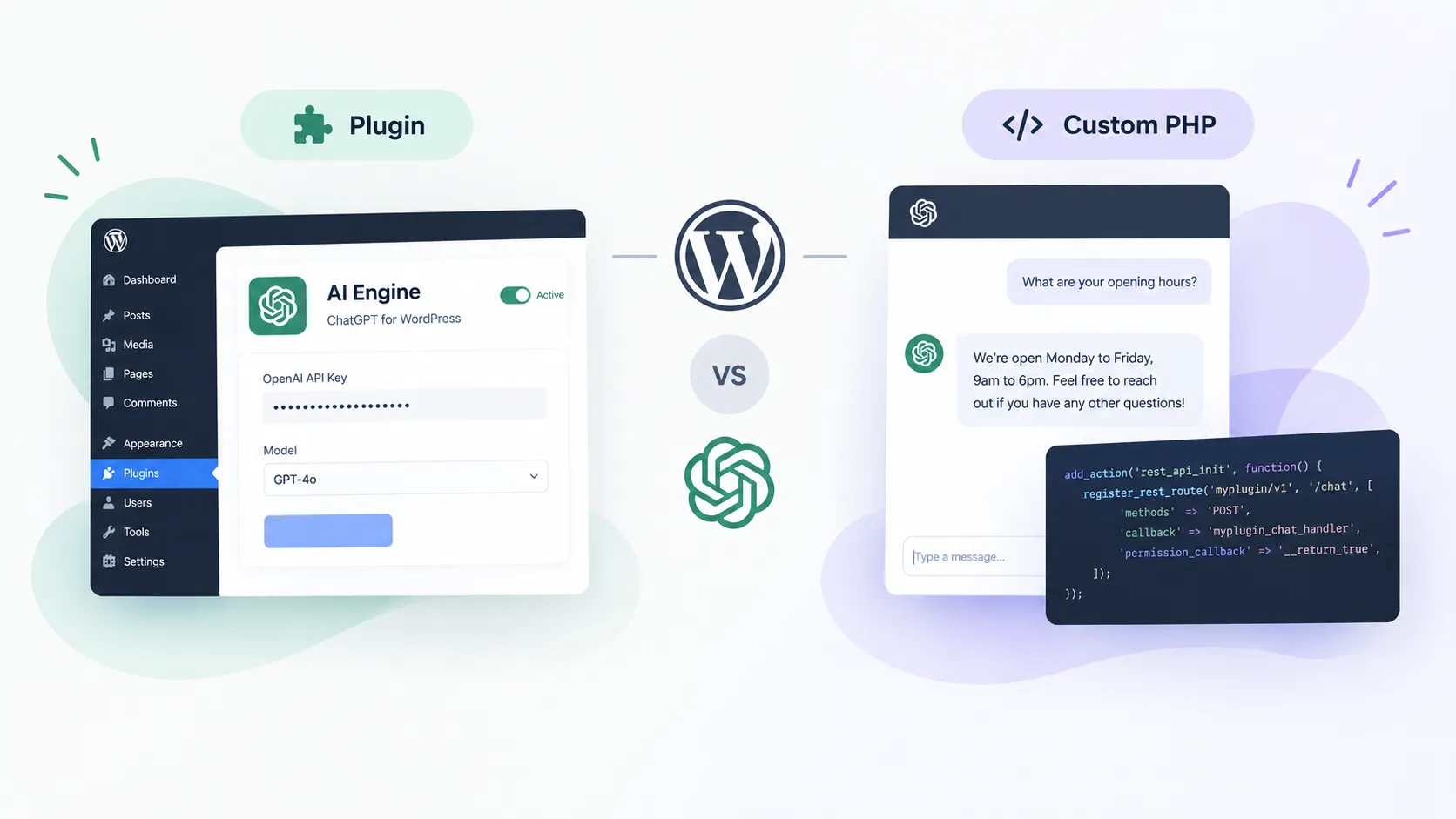
Every WordPress client I’ve spoken to in the last six months has asked some version of “can we add AI to the site?” The honest answer is yes—but the implementation gap between a plugin install and a proper custom integration is wider than most tutorials admit. Let me walk through both paths and tell you where each one actually breaks down.
Here’s the breakdown I use when scoping this kind of work for clients.
1. The two real paths
There are exactly two credible ways to add ChatGPT to a WordPress site right now: install a plugin like AI Engine and point it at your OpenAI API key, or write a custom integration in PHP that calls the OpenAI API yourself. That’s it. Everything else is either one of these two things wrapped in more marketing copy, or a third-party SaaS widget that doesn’t belong on a WordPress conversation at all.
The right choice depends on one question: who owns the conversation data, and does it matter? If you’re adding a “chat with our support bot” feature to a healthcare or legal site, the answer to that question kills the plugin option immediately. If you’re slapping a content assistant on a recipe blog, the plugin is fine.
2. The plugin route: fast but leaky
AI Engine by Jordy Meow is the plugin I see recommended most, and it’s genuinely well-built for what it is. You install it, add your API key in the settings panel, and you have a working chatbot in under 10 minutes. It handles conversation history in the database, basic rate limiting, and model selection. For a no-code install, that’s impressive.
But here’s what the plugin route quietly signs you up for:
- Your API key lives in
wp_options. If the site ever gets compromised—SQL injection, a vulnerable plugin somewhere else in the stack—your OpenAI key walks out the door with everything else. Rotating it is your problem, not the plugin’s. - Rate limiting is coarse. The built-in controls let you cap requests per user or per day, but they’re WordPress-user-aware, not IP-aware. Anonymous visitors can hammer the endpoint.
- You can’t easily inject context. If you want the chatbot to answer questions about your specific product catalog or pull live data from a custom post type, you’re fighting the plugin’s abstraction layer to do it.
- Plugin updates break things. I’ve seen this with every AI plugin I’ve touched—OpenAI deprecates a model, the plugin hasn’t updated yet, and your chatbot returns cryptic errors to users.
For a marketing site or a blog where the chatbot is a novelty feature, none of those are dealbreakers. For anything customer-facing where the AI is load-bearing—support, lead qualification, product recommendations—they matter a lot.
3. Custom PHP: more work, more control
A custom PHP integration means writing a WordPress REST API endpoint (or a shortcode backed by an AJAX handler) that proxies requests to the OpenAI API server-side. Your API key never touches the browser. You control the system prompt, the model, the temperature, the context window—everything.
The core pattern looks like this:
      add_action('rest_api_init', function () {
          register_rest_route('myplugin/v1', '/chat', [
              'methods'             => 'POST',
              'callback'            => 'myplugin_chat_handler',
              'permission_callback' => '__return_true',
          ]);
      });

      function myplugin_chat_handler(WP_REST_Request $request) {
          $message = sanitize_text_field($request->get_param('message'));
          $response = wp_remote_post('https://api.openai.com/v1/chat/completions', [
              'headers' => [
                  'Authorization' => 'Bearer ' . defined('OPENAI_API_KEY') ? OPENAI_API_KEY : '',
                  'Content-Type'  => 'application/json',
              ],
              'body' => json_encode([
                  'model'    => 'gpt-4o',
                  'messages' => [['role' => 'user', 'content' => $message]],
              ]),
              'timeout' => 30,
          ]);
          return rest_ensure_response(json_decode(wp_remote_retrieve_body($response), true));
      }
That’s the skeleton. In practice you also need a nonce for CSRF protection, server-side rate limiting (I use a transient keyed to the user’s IP), and a conversation history stored either in the session or in a custom table if you want persistence across visits.
The main downsides of going custom:
- You’re responsible for every edge case—API timeouts, model deprecations, token overflow errors.
- Conversation history storage adds database writes on every message, which matters on high-traffic sites.
- You need to wire up a frontend yourself. That’s fine in a block-based theme; it’s annoying in a legacy theme with jQuery everywhere.
4. The performance cost nobody mentions
Whether you use a plugin or custom PHP, you’re adding a synchronous API call to the page’s critical path the moment a user sends a message. That’s not a Core Web Vitals problem per se—it only fires on user interaction—but it is a perceived performance problem that tanks satisfaction scores.
The OpenAI API p95 response time hovers around 2–4 seconds for GPT-4o depending on prompt length. If your chatbot UI doesn’t show a typing indicator within ~200ms, users think it broke. Most plugin implementations handle this. Most “custom PHP shortcode” tutorials from blog posts do not.
The other thing: if the AI widget loads JavaScript on every page regardless of whether the user opens it, you’re paying a bundle cost on every pageload. I’ve seen AI Engine add 40–80 KB of JS to the front end unconditionally. On a store or a landing page where you’re working hard to keep WordPress performance tight, that’s a real problem. Enqueue the scripts conditionally, or lazy-load the widget on first interaction.
5. What I’d actually do on a client site
After a few of these projects, my default recommendation now depends on the site’s purpose:
- Content or marketing site, low stakes: AI Engine, configured carefully. Disable the front-end scripts on pages that don’t need the chatbot. Set a conservative daily request cap. Done in an afternoon.
- E-commerce or lead-gen site: Custom PHP integration, always. The chatbot needs to know about products, inventory, or form state—none of which a generic plugin handles well. I’ll write a REST endpoint, add IP-based rate limiting with transients, and build a small React widget that lazy-loads on button click.
- Any site handling sensitive user data: I’d push back on the requirement entirely. A server-side proxy keeps the API key safe, but the conversation content still goes to OpenAI’s servers. That’s a conversation to have with the client’s legal team before writing a line of code.
One thing I always do regardless of approach: store a hash of the user’s IP and the timestamp of their last N requests in a transient, and return a 429 after a threshold. OpenAI charges per token—an unprotected endpoint on a site with any traffic will run up a bill fast. I’ve seen this happen. It’s not fun to explain to a client.
I also always set an explicit system prompt that scopes the assistant to the site’s domain. “You are a helpful assistant for [Brand]. Only answer questions about [topic]. If asked about anything else, politely decline.” Without this, the chatbot happily answers questions about competitors, writes code for users, or goes on philosophical tangents—none of which you want on a client’s site.
6. The bottom line
Adding ChatGPT to WordPress is genuinely easier than it was two years ago, but “easier” isn’t the same as “free of tradeoffs.” The plugin route is fast and good enough for many sites. The custom PHP route is more work but gives you the control that real client projects usually need. Neither route excuses you from thinking about API key security, rate limiting, and the JavaScript cost on the front end.
If you’re scoping this for a client project and want a second opinion on the architecture, WordPress development is exactly what I do—feel free to book a call and we can talk through the right approach for your specific site.